
Preez · Attendance app
Know who's at work.
Across every location.
Verified attendance for multi-branch teams, using workplace location and live selfie evidence. No registers. No month-end Excel.

Android app on Google Play. See how it works →
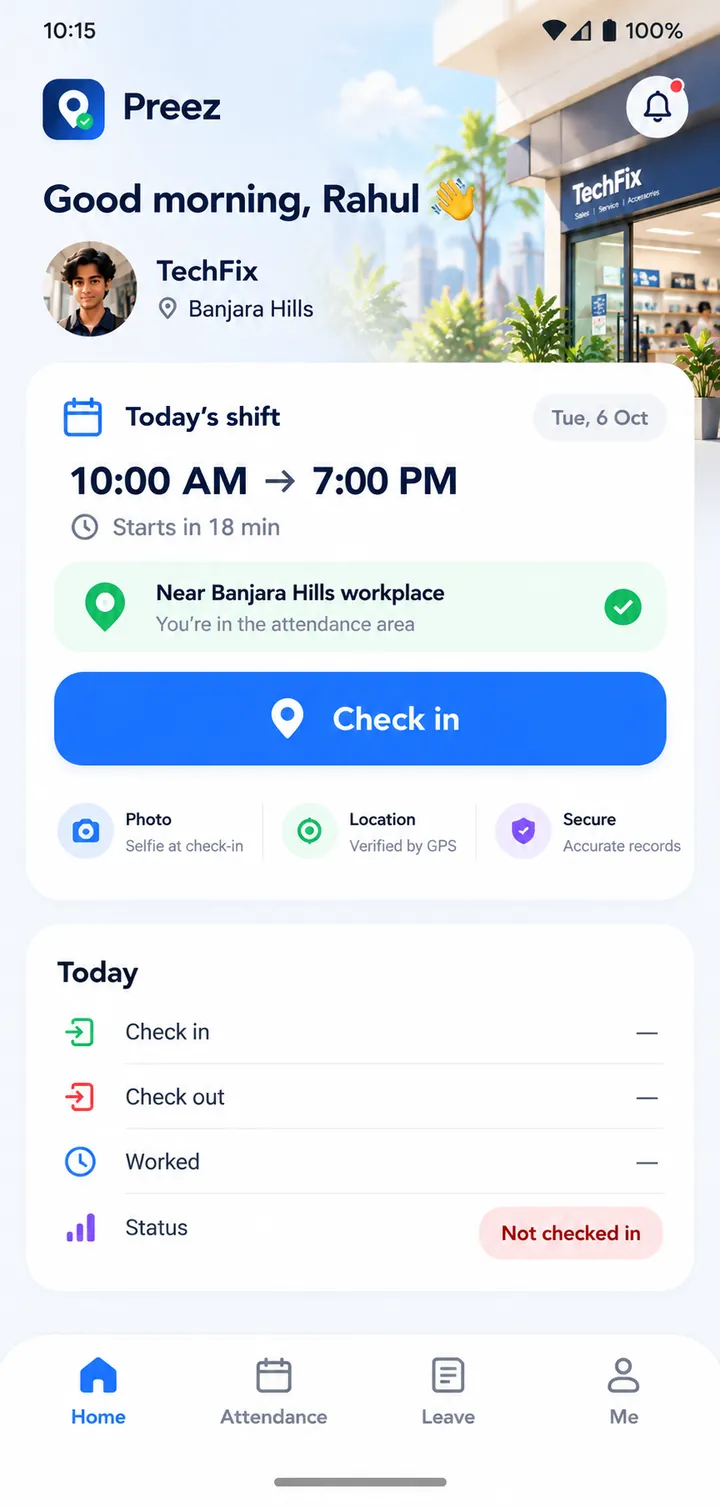
The attendance register shouldn't be your database.
Most multi-branch businesses still run attendance on paper, then spend the end of every month turning it into a spreadsheet.
Today
- Paper register at each branch
- Branch manager copies it out
- Excel at month end
- Corrections over WhatsApp
- Owner checks it by hand
With Preez
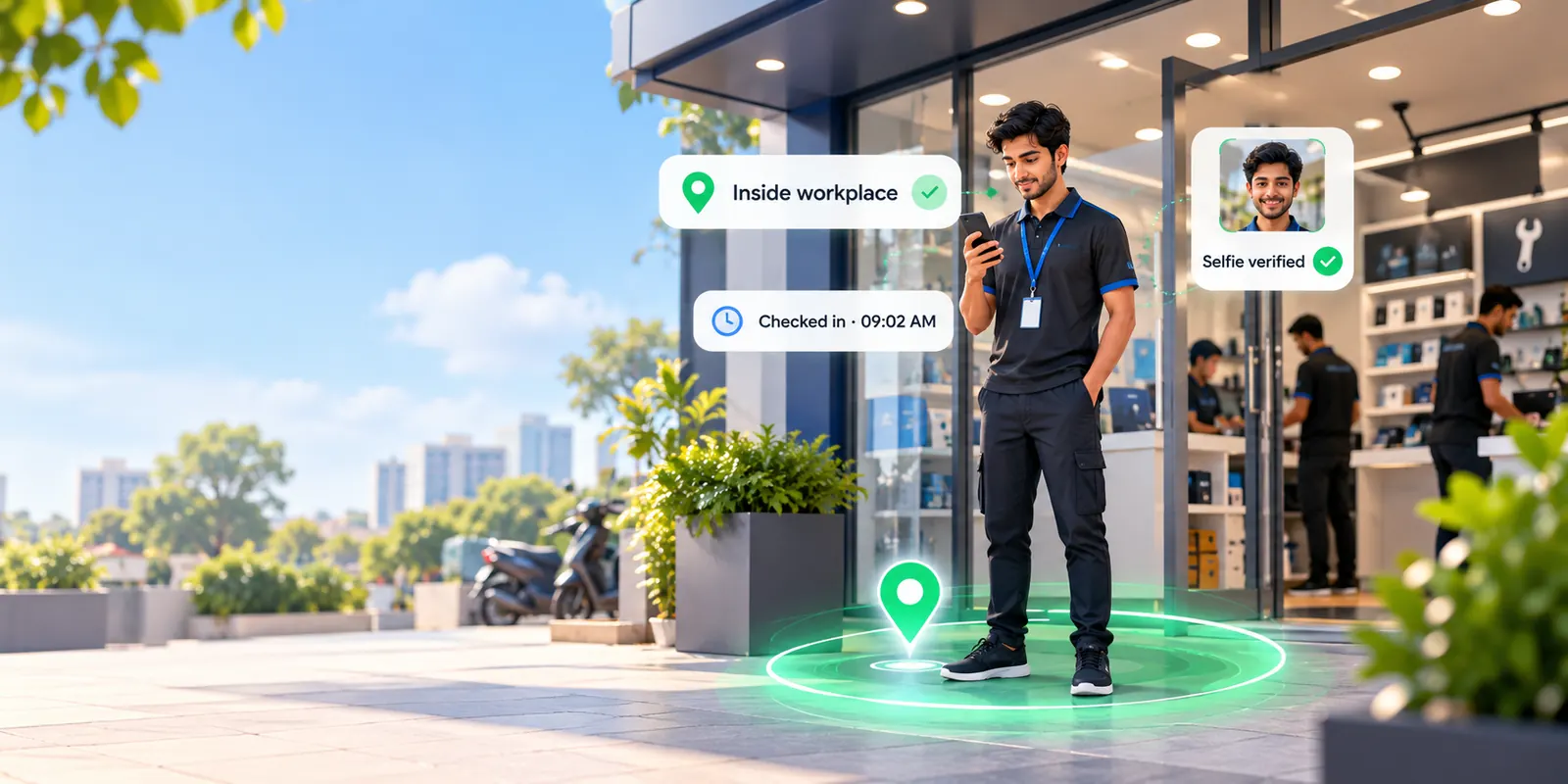
- Employee checks in at the branch
- Location and selfie verified
- Every branch visible in real time
- Monthly report, ready to export
How it works
Three steps. A few seconds.
Reach the workplace
Preez checks that the employee is inside their branch's attendance area.
Take a live selfie
A quick photo from the camera — not the gallery — becomes the attendance evidence.
Attendance verified
The server records the time, and managers see it across every location straight away.
Location+Live selfie+Server time=Verified attendance
For employees
Check in. Get to work.
Their branch and shift are already there when they open the app. One tap starts it; the same flow closes the day at check-out.
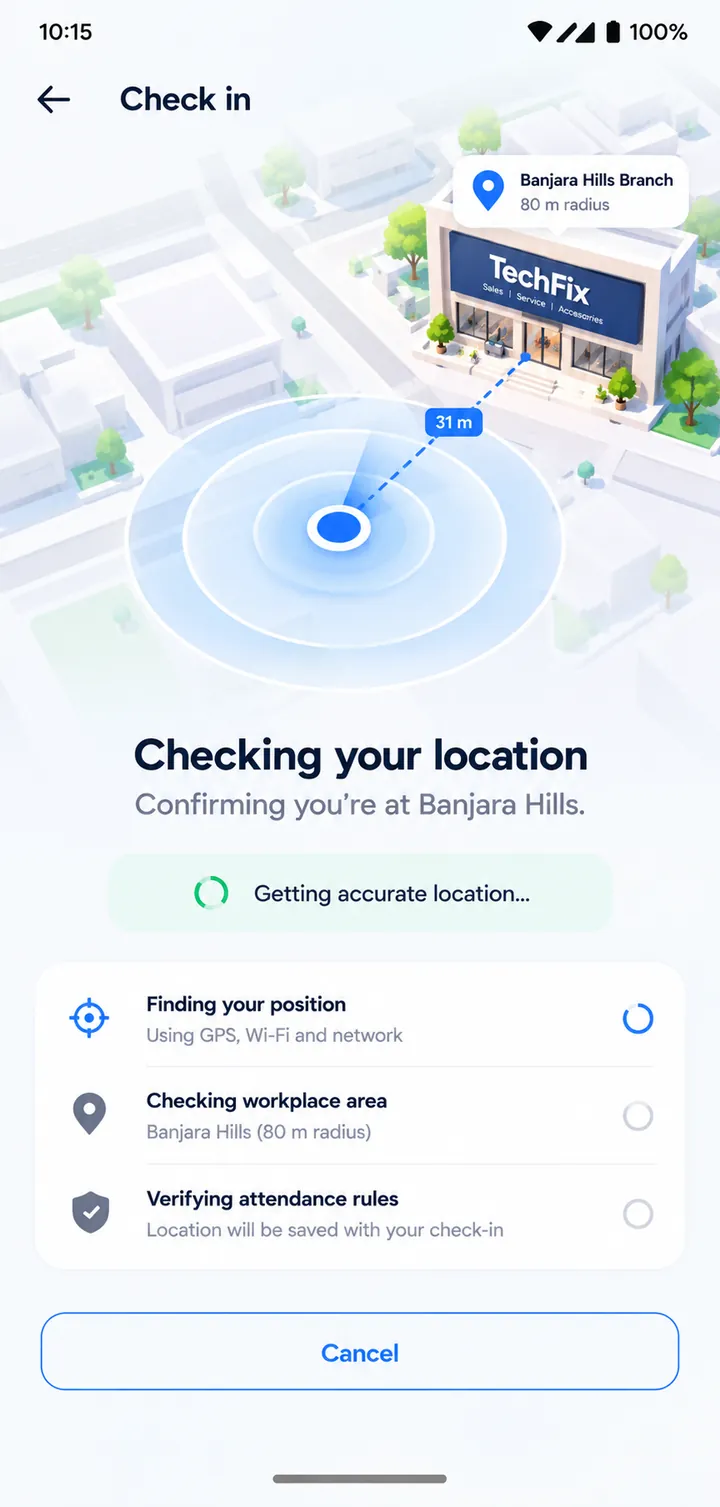
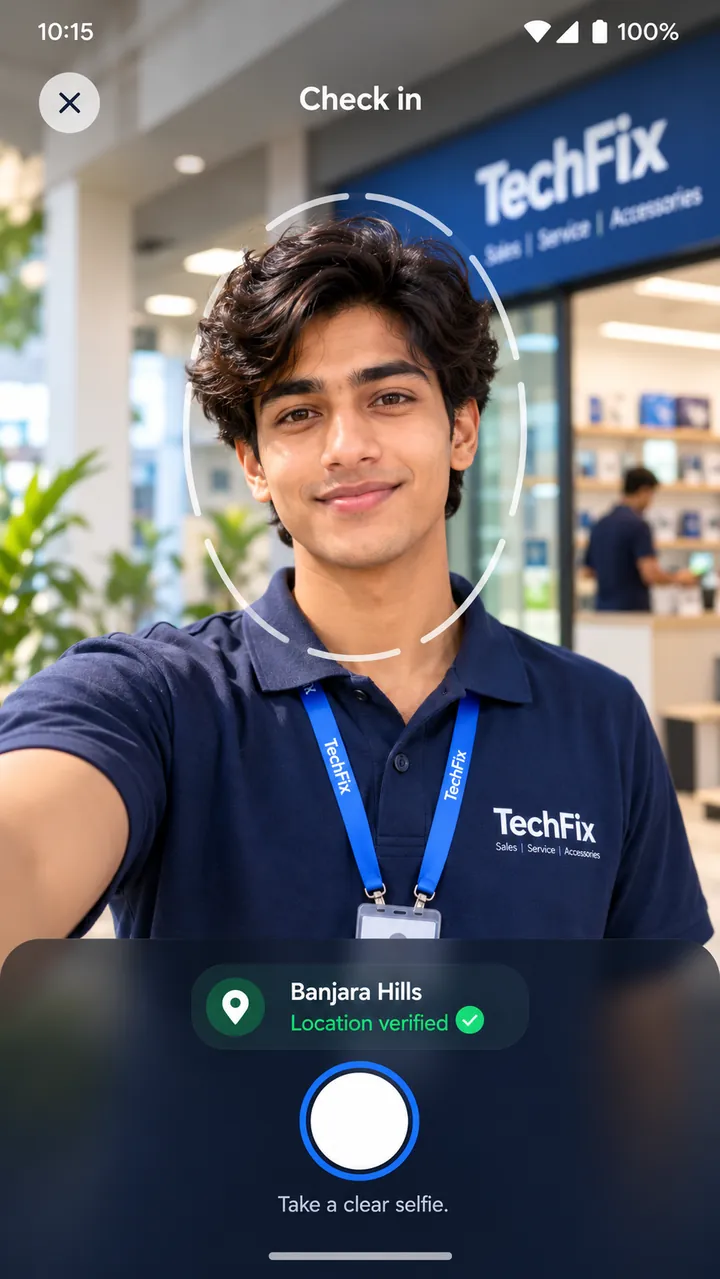
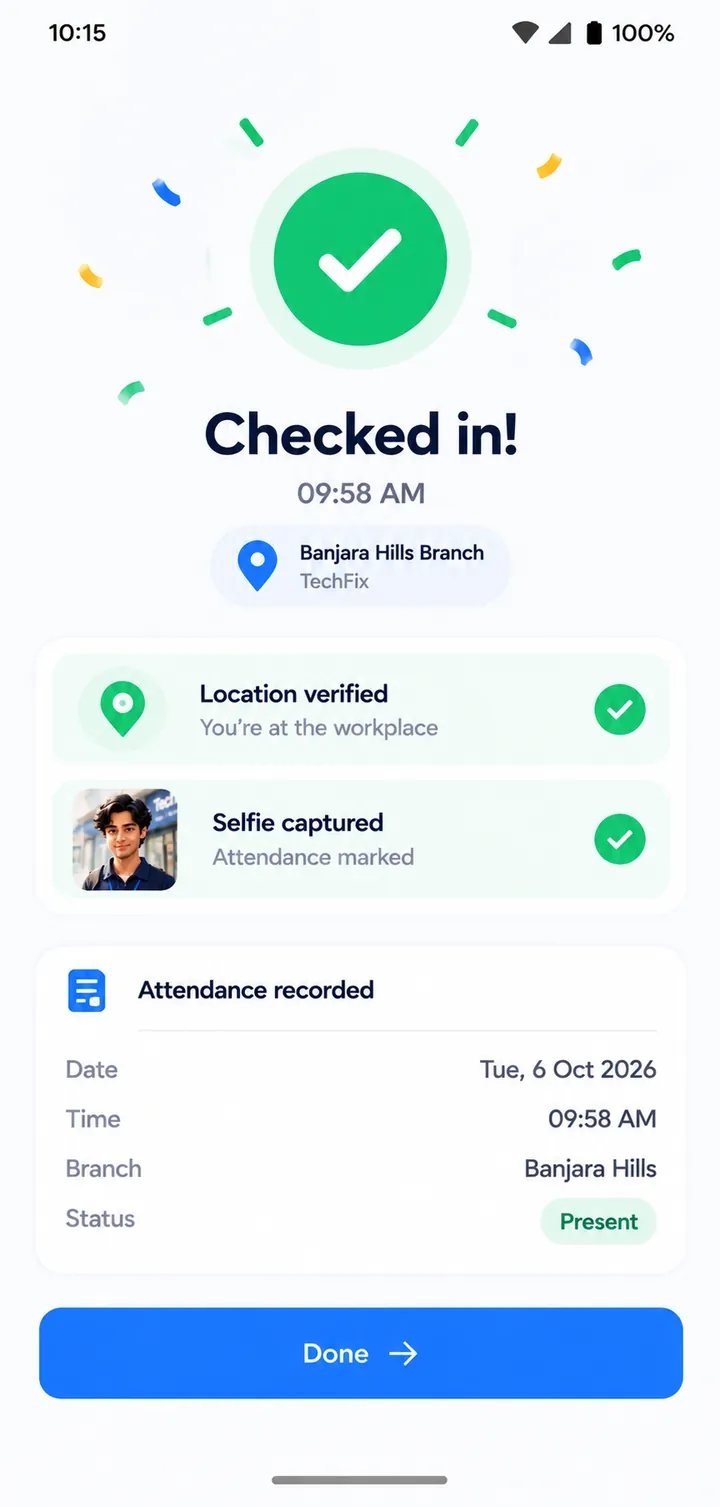
Poor signal at the branch? Attendance is captured on the phone and marked “pending sync” until the server accepts it — never shown as verified before then.
For owners and managers
One view across every branch.
Instead of waiting for registers and spreadsheets, see today's attendance as it happens — who is in, who is late, and which branch is short.
- Exceptions first: late, absent, missing check-out, flagged for review
- Branch managers see only the branches they run
- Corrections and leave carry a reason, and every approval is recorded
- Present
- 68
- Late
- 9
- Absent
- 5
- Leave
- 2
- Banjara Hills18 / 20
- Madhapur24 / 28
- Secunderabad14 / 16
- Kukatpally12 / 20
Attendance that proves itself.
Every check-in carries its own evidence, so a disagreement at month end is settled by looking, not arguing.
Location
Where was attendance marked?
Selfie
Who marked it?
Time
When was it marked? Server time, not the phone clock.
Device
Which app installation submitted it?
Audit trail
Who changed anything later, and why?
No single signal is treated as proof. Check-ins that look unusual — outside the area, a new phone, an impossible journey between branches — are flagged for a person to review, not silently rejected.
Privacy
Attendance, not surveillance.
Preez doesn't follow anyone through the workday. Location is read only when an employee checks in or checks out.
Location at check-in and check-out only
The app never asks for background location access.
A selfie, not a face scan
The photo is evidence for a person to look at. Preez does no face recognition.
Nothing hidden
Employees can see in the app what is collected and that their employer can view it.
Private evidence
Selfies are never on public links. Authorised managers open them through links that expire in minutes.
Month end
The month closes itself.
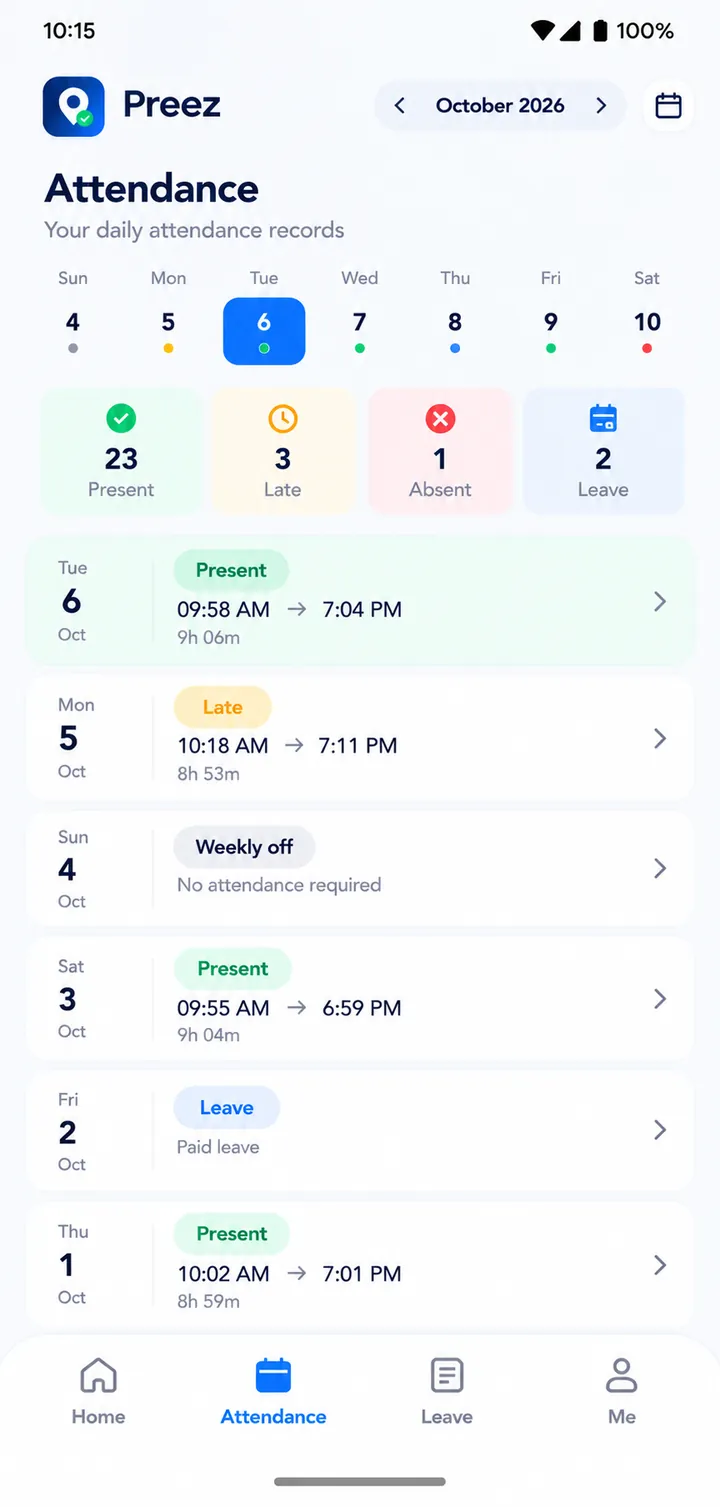
Present, late, half-day, absent, leave and hours worked are calculated from the attendance itself. Export the month to Excel or CSV and hand it to your accountant the way you do today.
Preez isn't payroll and doesn't try to be. It replaces the register, not your accountant.
Paper register- No manual transcription
- Monthly attendance report
- Excel / CSV export
For businesses
Built for businesses with people across locations.
If your team works from shops, branches or sites rather than one office, Preez is made for you.
- Repair shops
- Retail stores
- Restaurants
- Warehouses
- Clinics
- Service centres
- Showrooms
- Salons
See worked examples for repair shops, restaurants and clinics →
Preez does one job: employees, branches, shifts, attendance, corrections, reports. It is not an HRMS, payroll or chat app.
FAQ
Questions owners ask
What is Preez?
Preez is an attendance app for businesses with employees at more than one location. Employees check in on their phones at the branch with their location and a live selfie, and owners see attendance across every branch in real time, then export the month to Excel or CSV.
Which businesses is Preez for?
Multi-branch businesses such as repair shops, retail stores, restaurants, warehouses, clinics, service centres, showrooms and salons — anywhere staff work from several sites rather than one office.
How does a Preez check-in work?
The employee taps Check in. Preez confirms they are inside their branch’s attendance area, they take a live selfie, and the server records the time. Check-out works the same way.
Does Preez track employees’ location all day?
No. Preez reads location only when an employee checks in or checks out. It never asks for background location permission.
Do I need a biometric machine or other hardware?
No. Employees use their own Android phones, so there is no device to buy or maintain at each branch.
Does Preez work without internet?
Yes. A check-in made without signal is saved on the phone and sent when the connection returns. It shows as verified only after the server accepts it.
Does Preez do payroll?
No. Preez calculates attendance — present, late, half-day, absent, leave, hours and overtime — and exports it to Excel or CSV for your accountant or payroll software.
How do I start using Preez?
Preez is in early access. Email [email protected] with your business name and number of branches and employees, and we will set it up with you. The Preez app is on Google Play.
Where can I download the Preez app?
Preez is on Google Play for Android: search “Preez attendance” or open play.google.com/store/apps/details?id=app.preez.
More: use cases · attendance guides · support
Replace the register.
Run attendance across every location with Preez. We're onboarding businesses now — tell us about yours.